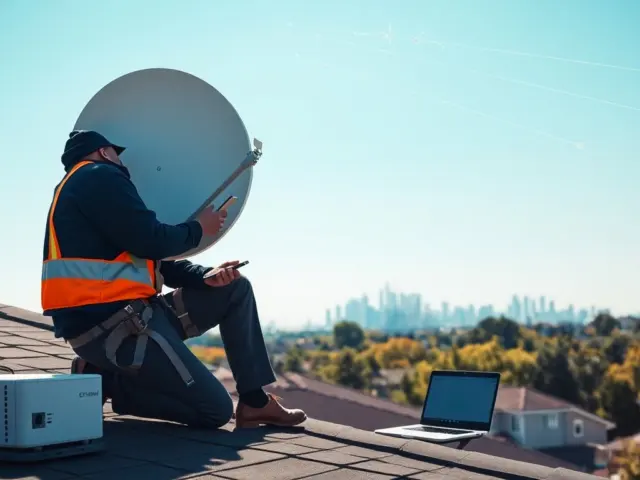
Satellite internet for rural areas offers high-speed links where fiber and cable do not reach. People in rural towns can get broadband via satellites in low or geostationary orbit. Providers ship user terminals and modems. Users plug devices and follow simple setup steps. This article explains how the technology works, who benefits, real limits, and how they can choose plans.
Key Takeaways
- Satellite internet for rural areas provides broadband access where traditional fiber and cable networks are unavailable, using satellites in low Earth orbit (LEO) or geostationary orbit (GEO).
- Rural households benefit from satellite internet through improved connectivity for education, telehealth, business, and everyday communication needs.
- While satellite internet delivers essential service, it has limitations such as higher latency compared to fiber, data caps, and performance affected by weather and obstructions.
- Choosing the right satellite internet plan involves comparing coverage, speeds, costs, installation fees, and user reviews to ensure reliable service for rural locations.
- Proper installation with a clear sky view and strategies like enabling Quality of Service (QoS) can enhance performance and user experience with satellite internet in rural areas.
How Satellite Internet Works In Rural Areas — Coverage, Orbits, And Equipment
Satellite internet for rural areas uses radio links between ground terminals and space systems. Operators place satellites in low Earth orbit (LEO) or geostationary orbit (GEO). LEO satellites sit lower and move fast. They reduce delay and cover regions with a constellation. GEO satellites sit high and stay above a fixed point. They cover wide areas with fewer satellites. Rural homes receive signals with a user terminal or dish. The terminal converts radio waves into Ethernet or Wi‑Fi. Providers run gateway stations that link satellites to the public internet. Coverage maps show service availability by county or postal code. People scan maps and enter addresses to confirm service. Equipment often includes a modem, power supply, and a mounting kit. Installation can be DIY for LEO terminals that self‑align. Some rural sites need a technician for roof or pole mounting. Satellite internet for rural areas delivers service where fiber, DSL, and cable stop. It requires line of sight to the sky and power at the terminal. Providers disclose minimum signal levels and supported speeds for each plan.
Beyond the basic terminal and modem, households may receive additional hardware that improves signal reliability—like a weatherproof enclosure, an approved mast clamp, or a secondary Wi‑Fi access point for larger properties. Some providers support commercial-grade terminals or fixed wireless hybrids where satellite is combined with a short-range terrestrial link. Coverage is not uniform: terrain, latitude, and regional licensing affect which orbit and satellite resources serve a location. Before purchasing service, check not only whether a provider “covers” an address but also whether that coverage includes the level of performance you need at different times of day.
Benefits For Rural Households: Connectivity, Education, Telehealth, And Business Uses
Satellite internet for rural areas gives residents access to services that local networks lack. Students access online classes and submit assignments. Families stream video and communicate with relatives. Workers use video calls and cloud apps. Farmers run sensors and send telemetry from fields. Clinics use telehealth to consult specialists and send scans. Small businesses host web pages and process payments. Local governments deliver online forms and emergency alerts. Providers offer symmetric or asymmetric speed tiers to match use. Satellite internet for rural areas supports multiple devices and households. Providers add parental controls, security features, and router management. People who move seasonally can keep service without rewiring. In places with damaged landlines, satellites restore connectivity fast. Satellite internet for rural areas can act as a primary link or as a backup to existing networks.
Examples of real benefits include: enabling distance learning for children in remote districts where school schedules or curricula require reliable internet; allowing primary care centers to run virtual consultations and triage patients without long transfers; and giving local entrepreneurs the ability to accept online payments, manage inventories, or reach customers through web storefronts. Community use cases are also important—some rural communities coordinate with providers to install central terminals at libraries or town halls, creating shared access points for residents who cannot mount personal equipment or who want a lower-cost option.
Limitations And Real-World Performance: Latency, Data Caps, Weather, And Reliability
Satellite internet for rural areas faces physical limits that affect performance. GEO links show higher latency due to long travel distance. LEO systems lower latency but still add delay versus fiber. High latency can affect some real‑time games and remote desktop sessions. Providers set data plans that include soft or hard caps. Heavy users may see reduced speeds after they exceed thresholds. Weather can degrade signal strength. Rain, snow, and dense foliage can reduce throughput or cause brief outages. Rural sites with obstructed sky views will see poorer performance. Providers publish expected availability and typical uptime. Ground equipment may need firmware updates and occasional reboots. Power outages at the terminal cause service loss until power restores. People should test speeds at peak hours to set realistic expectations. Satellite internet for rural areas will vary by plan, location, and season.
To evaluate real-world performance, run multiple speed tests at different times (morning, evening, and during storms) and compare results to the provider’s stated ranges. Understand whether a plan uses traffic management—some providers de‑prioritize traffic during congestion, which affects responsiveness. If your use includes many simultaneous high‑bandwidth applications (large uploads, multiple 4K streams, or continuous cloud backups), account for potential throttling. In extreme weather or heavy foliage seasons, temporary degradation is normal; well-sited terminals and professional mounts reduce outage risk. Consider backup power options for the terminal (UPS or generator) if maintaining connectivity during grid outages is important for health, safety, or business continuity.
How To Choose And Get Started: Plans, Costs, Installation, And Tips For Better Performance
People who choose satellite internet for rural areas should compare coverage, speed, and price. They should enter their address on provider sites to confirm availability. They should check residential and business plans and note monthly caps, peak rates, and contract terms. They should review installation fees and equipment costs. Some providers sell terminals while others include them with a contract. People should read user reviews for real throughput and support quality. For installation, they should pick a site with a clear sky view and steady power. They should mount the terminal away from trees and tall structures. They should position the modem indoors near the primary router. They should secure the terminal against wind and pests. For better performance, they should place Wi‑Fi routers centrally and limit bandwidth‑heavy apps during peak hours. They should enable Quality of Service (QoS) to prioritize video calls or work traffic. They should test speed with wired and wireless client devices. If speeds fall short, they should contact support and run diagnostics. They should compare trial periods and money‑back guarantees before committing. Satellite internet for rural areas can cost more than urban broadband, but it can deliver usable speeds and reliable access when local wired options lack coverage.
Practical steps to get started: make a short checklist before you call sales—document your exact address and GPS coordinates if possible, note nearby obstructions (trees, buildings), estimate household device count and peak simultaneous users, and outline critical applications (telehealth, VoIP, streaming, telemetry). Ask providers about setup time, technician availability, and whether service requires a long‑term contract. If multiple providers cover your area, compare total cost of ownership: monthly fee plus any up‑front equipment, shipping, installation, and potential cancellation charges. Finally, follow these everyday tips to improve experience: use wired Ethernet for latency‑sensitive devices, schedule large uploads for off‑peak hours, keep firmware current, and monitor usage to avoid surprises from data caps. For community or business deployments, consider consulting a local installer who can recommend optimal mounting locations, grounding, and surge protection for long-term reliability.